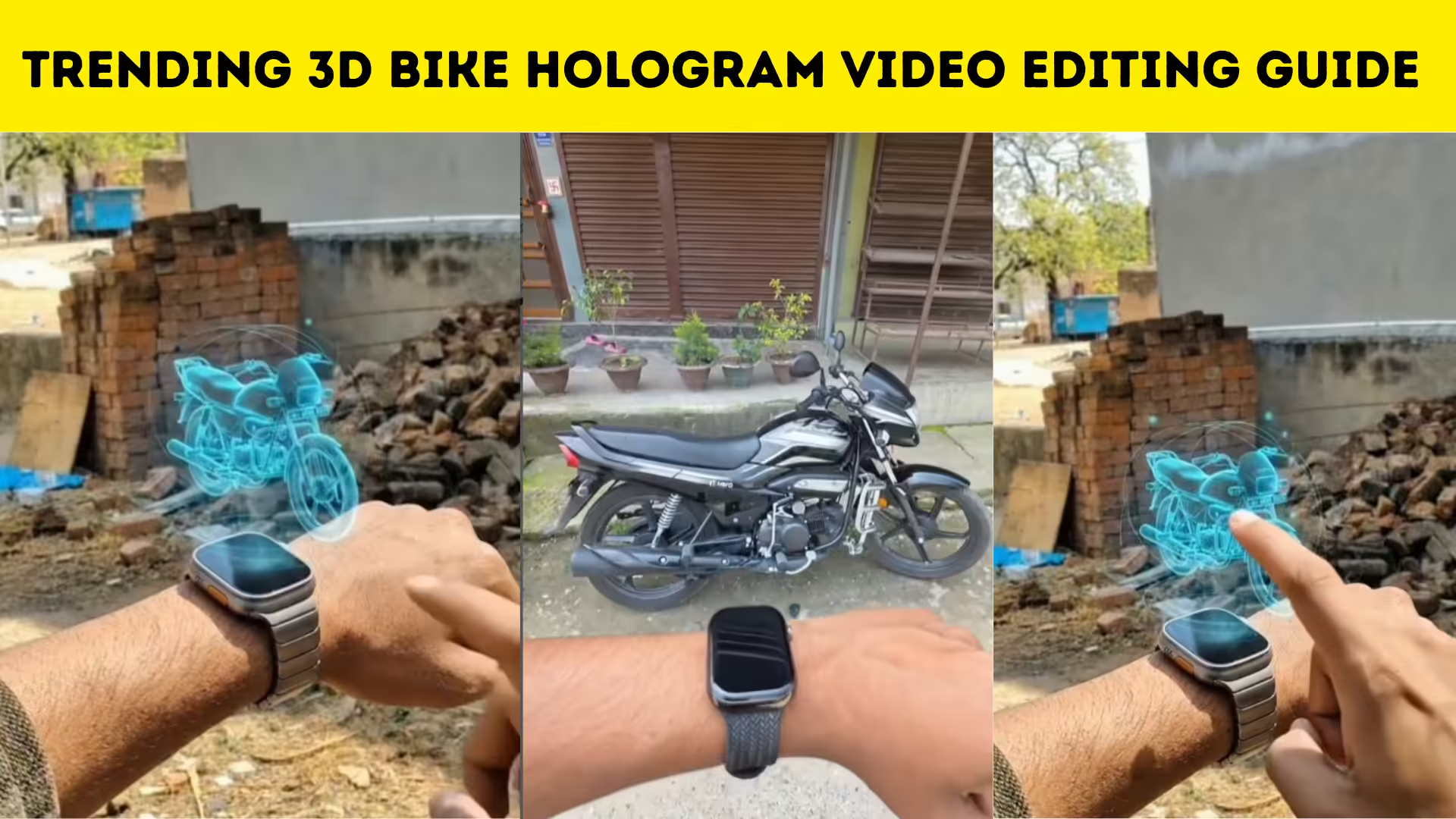
Introduction to Bike Hologram Video Editing
Bike hologram video editing is one of the hottest trends on platforms like Instagram and YouTube. These edits give a futuristic 3D projection look, making your bike videos stand out instantly. With the right tools and creativity, anyone can create stunning hologram effects even using a smartphone.
What is a Hologram Effect in Video Editing
A hologram effect creates the illusion of a 3D digital projection floating in space. In bike edits, this effect highlights the vehicle with glowing outlines, neon lights, and animated overlays. It gives a sci-fi cinematic feel that grabs attention quickly and increases engagement on social media.
Apps Required for Hologram Editing
To create a trending bike hologram video, you need some powerful editing apps. Popular choices include Alight Motion, CapCut, and KineMaster. These apps provide advanced tools like keyframes, blending modes, and visual effects that are essential for hologram edits.
Shooting the Perfect Bike Video
The quality of your final edit depends heavily on your original footage. Shoot your bike video in good lighting, preferably during sunset or golden hour for a cinematic look. Keep the background simple so the hologram effect stands out clearly. Use slow-motion shots to enhance the visual appeal.
Step-by-Step Editing Process
Start by importing your video into your editing app. Cut and trim the clips to match your desired length. Next, add glow or neon outline effects around the bike using masking tools. Apply blending modes like screen or add to create a hologram illusion. Use keyframes to animate the glow and make it look dynamic.
Adding Hologram Overlays and Effects
Download hologram overlays such as light streaks, grids, and particles. Place them above your video layer and adjust blending modes for a realistic effect. Adding blue or cyan color tones enhances the futuristic hologram look. You can also include glitch effects for a more advanced style.
Syncing with Music for Viral Reach
Music plays a crucial role in making your video viral. Choose trending audio from Instagram Reels or YouTube Shorts. Sync your cuts and transitions with the beat of the music to create a satisfying and engaging viewing experience.
Export Settings for Best Quality
Export your video in high resolution, preferably 1080p or higher. Use a high bitrate to maintain quality. Make sure the aspect ratio is optimized for vertical viewing, which is ideal for Reels and Shorts.
Tips to Make Your Video Go Viral
Use trending hashtags and captions to increase reach. Post your content at peak engagement times. Consistency is key, so upload regularly. Engaging thumbnails and creative edits will help your video stand out among thousands of posts.
Download App
PROMPT :-
A cinematic, ultra-realistic futuristic scene featuring a sleek smartwatch on a person’s wrist in a dim, high-tech environment. The smartwatch activates and emits a vivid blue holographic interface. Concentric circular energy rings rotate smoothly around the projection, pulsing rhythmically. From the center, a detailed blue wireframe motorcycle hologram appears and begins continuous dynamic motion – rotating, tilting, and subtly shifting position in mid-air. The hologram cycles through multiple motion loops: rotating 360°, slightly expanding and contracting, and orbiting within the circular projection ring. Light particles and neon trails follow each movement, creating a layered, fluid animation.
The circular hologram interface animates repeatedly, with rings spinning at different speeds, creating a complex, synchronized motion system. The motorcycle hologram repositions and reorients multiple times, as if being previewed or scanned, maintaining smoot transitions between each movement cycle
A human finger reaches in and taps the hologram. Upon contact, the circular rings accelerate rapidly, emitting intensified light pulses. The hologram performs one final expansion cycle, then grows larger and descends toward the ground. As it touches the surface, the hologram transitions seamlessly into a solid, ultra-realistic black motorcycle. The transformation Includes high-end VFX: particle dispersion, energy waves, glowing fragments dissolving into physical materials, and realistic reflections forming across the bike’s surface. Camera movement is cinematic and fluid, with subtle zoom-ins, depth of.
Common Mistakes to Avoid
Avoid overusing effects, as it can make your video look messy. Keep the edit clean and focused. Do not ignore lighting in your original footage, as poor quality cannot be fixed completely in editing. Also, ensure smooth transitions for a professional look. Bike hologram video editing is a powerful way to create eye-catching content and grow your social media presence. With the right apps, creative ideas, and consistent practice, you can easily produce viral-worthy videos. Start experimenting today and take your editing skills to the next level.