Trending Butterfly Photo Editing
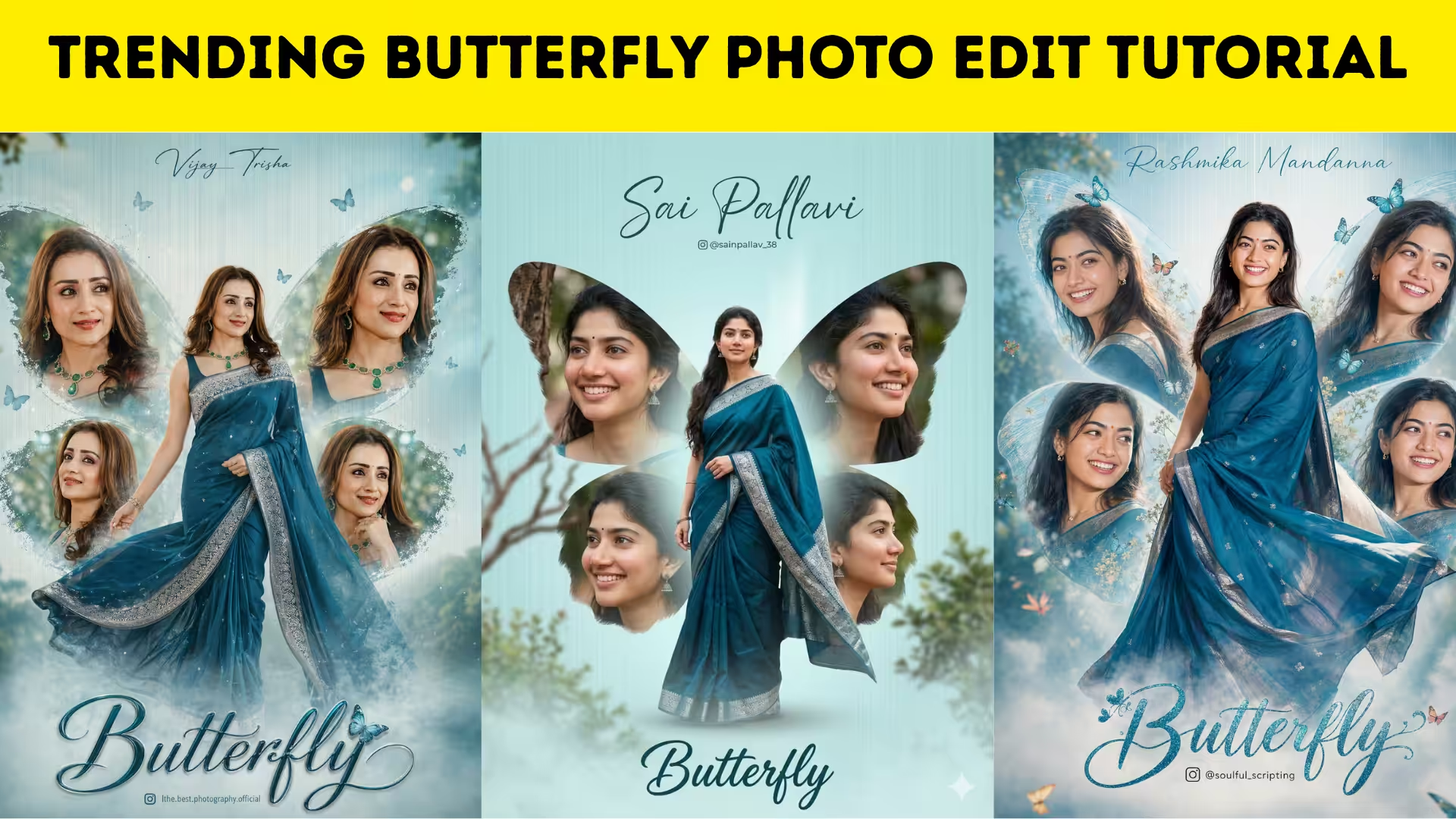
Butterfly photo editing has become one of the most popular visual trends across social media platforms. From aesthetic Instagram posts to eye-catching WhatsApp status images, butterfly-themed edits instantly attract attention because of their dreamy and colorful appearance. This editing style adds a magical effect to portraits by blending beautiful butterflies around the face, hair, or background. Many creators love this trend because it creates a soft, artistic, and stylish look without requiring professional photography skills.
Why Butterfly Photo Editing Is Trending Online
The popularity of butterfly photo editing comes from its ability to transform ordinary pictures into visually stunning artwork. Social media users enjoy unique editing styles that stand out in crowded feeds, and butterfly effects add elegance and charm to any image. Influencers, content creators, and mobile editing enthusiasts often use this style to increase engagement because bright butterfly overlays naturally grab attention. The trend continues to grow because it is easy to create using editing apps available on smartphones.
Choosing the Perfect Photo for Butterfly Editing
A high-quality portrait is important when creating a butterfly photo edit. Clear lighting, sharp focus, and a simple background make editing easier and more attractive. Photos taken in natural daylight often produce the best results because facial details remain visible after effects are added. Selecting an image with enough space around the subject also allows butterflies to blend naturally into the composition without making the design appear crowded.
Best Apps for Butterfly Photo Editing
Several mobile apps make butterfly editing simple even for beginners. Popular editing apps provide overlays, filters, background blur, and lighting adjustments that enhance the final design. Apps like PicsArt, Snapseed, Lightroom, and Canva are commonly used to create butterfly effects because they include tools for layering images and adjusting colors. Many creators combine multiple apps to achieve a professional result with smooth blending and realistic shadows.
Adding Butterfly Overlays for a Dreamy Effect
Butterfly overlays are the key element in this editing style. These overlays can be downloaded from editing resources or found directly inside editing apps. Placing butterflies around the hair, shoulder, or surrounding background creates a floating illusion that adds beauty to the portrait. Proper positioning is important because butterflies should appear naturally integrated rather than randomly placed. Adjusting opacity and size helps make the butterflies look realistic.
Using Color Grading to Improve Visual Appeal
Color grading plays a major role in making butterfly edits look professional. Soft pastel tones, warm highlights, and smooth shadows enhance the dreamy aesthetic. Increasing brightness slightly while lowering harsh contrast often creates a softer appearance. Many editors prefer pink, blue, purple, or golden color tones because they complement butterfly overlays perfectly. Consistent color correction ensures the final image appears balanced and visually pleasing.
Background Blur for Better Subject Focus
Background blur helps keep attention on the subject while making butterfly effects stand out more clearly. Blurring distracting elements in the background creates depth and gives the image a DSLR-like appearance. Many editing apps include portrait blur features that can isolate the person from the background. This editing step makes butterfly overlays appear more prominent and creates a professional visual style.
Enhancing Lighting and Glow Effects
Glow effects are commonly added to butterfly photo edits to create a magical atmosphere. Soft lighting around butterflies or facial highlights makes the image feel more vibrant. Adding a subtle glow around the edges of the butterflies can create an illusion of movement and realism. Proper lighting adjustments also improve skin tone and make the portrait look polished without appearing over-edited.
Adding Text and Decorative Elements
Many creators add stylish text, quotes, or decorative sparkles to butterfly photo edits. Text placement should remain minimal so the image does not become visually overwhelming. Decorative elements such as stars, glitter, or light particles can enhance the artistic mood. Choosing fonts that match the dreamy theme creates a cohesive design that looks modern and attractive.
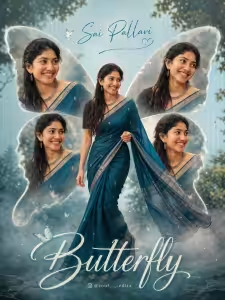
PROMPT:-
Create a high-resolution, cinematic butterfly-themed collage poster of a young South Indian woman. Use the uploaded image as the exact face reference (strict face preservation – 100% identical facial features, skin tone, hairstyle, expression, no changes at all). The design should feature: A large central full-body image of the woman wearing a traditional saree (deep teal/blue tone with silver border), standing gracefully and slightly twirling the Surrounding her, include 4 smaller portrait shots (close-up angles, smiling, side poses) arranged symmetrically in a butterfly wing shape. Add soft feathered edges around the smaller images to blend into the background. Background: Soft pastel teal/blue gradient background with subtle vertical texture lines. Light mist/fog effect at the bottom. Slight nature touch (blurred trees or greenery in background for depth). Styling: Elegant, dreamy, and feminine aesthetic. Soft natural lighting with smooth skin tones. Add subtle glow and depth of field. Typography: Add a stylish cursive title text at the bottom: “Butterfly” Add a name [ Rashmika Mandanna ] at the top in elegant handwritten font. Include a small Instagram-style username below. Quality: Ultra HD, 4K resolution Sharp focus, professional photo manipulation Poster design, studio-quality finish–ar 3:4 –v 6 –style raw
Sharing Butterfly Photo Edits on Social Media
Once the butterfly edit is complete, sharing it on social media platforms can help increase visibility. High-resolution exports ensure the image remains sharp after uploading. Captions with trending hashtags related to butterfly editing can improve reach and engagement. Users often save and share visually appealing edits, making butterfly designs ideal for building an audience and increasing interaction.
Trending butterfly photo editing is an easy yet powerful way to create beautiful and artistic portraits. With the right photo, editing app, overlays, and color adjustments, anyone can design a professional-looking butterfly edit directly from a smartphone. This trend continues to dominate social media because it combines creativity, elegance, and visual storytelling. Learning butterfly editing techniques can help content creators produce attractive images that stand out online.