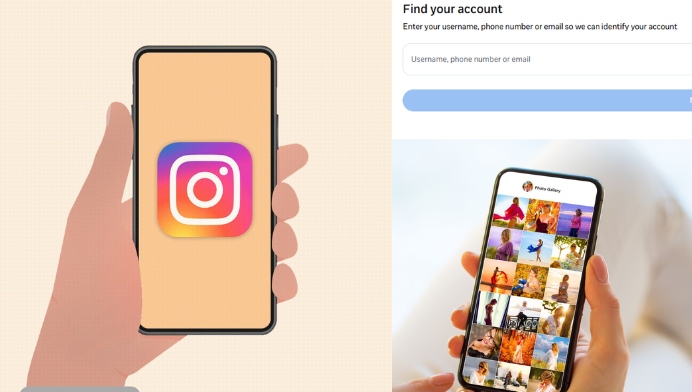
Recover Your Instagram Account with Your Email Address
If you cannot remember your Instagram username, your registered email address may help you find your account. On the Instagram login screen, select the option for forgotten passwords and enter the email address connected to your profile. Instagram may send a login link or account recovery instructions to your email inbox. Check your inbox carefully, including the spam or junk folder, because recovery emails may sometimes appear there.
Use Your Mobile Number to Find Instagram
Your registered mobile number can also help you access your Instagram account. Enter the phone number linked to your profile on the account recovery page. Instagram may send a verification code or login link through SMS. After confirming the code, you may be able to sign in and view your account details. Make sure you use the same phone number that was connected to your Instagram profile.
Search for Your Instagram Profile Through Google
Google can sometimes help you locate a public Instagram profile. Search using your full name, Instagram username, or a phrase related to your account. You can include the word “Instagram” in the search to make the results more relevant. If your profile is public and indexed by search engines, your Instagram page may appear in the results. This method can also help you find an old account when you remember only part of the username.
Find Your Instagram Account from a Friend’s Profile
If your friends follow your Instagram account, they may be able to help you locate it. Ask a trusted friend to open their following or followers list and search for your name or old username. They can share your profile link or tell you the exact username shown on your account. This can be useful when you have forgotten your login details but remember people who interacted with your posts.
Check Your Old Instagram Messages and Notifications
Previous Instagram notifications, emails, and messages may contain useful information about your account. Search your email inbox for messages from Instagram related to login activity, comments, password changes, or account updates. Old notifications may display your username or provide a direct link to your profile. Checking these records can make it easier to identify the correct account and begin the recovery process.
Access Instagram Through a Connected Facebook Account
Some Instagram users connect their profiles to Facebook or use Facebook to sign in. If your Instagram account was linked to Facebook, try selecting the Facebook login option on the Instagram app. You may be able to access the account without entering the old Instagram password. This method depends on whether the accounts were connected previously and whether you can still access the linked Facebook profile.
Reset Your Instagram Password Safely
If you find your account but cannot remember the password, use Instagram’s official password reset feature. Select “Forgot password?” and enter your username, email address, or mobile number. Follow the verification instructions sent by Instagram and create a new, strong password. Avoid sharing verification codes with anyone because these codes can be used to access your account. A secure password should be unique and difficult for others to guess.
Find an Old or Inactive Instagram Account
An old Instagram account may still exist even if you have not used it for a long time. Search using old usernames, names, profile photos, or details that were connected to the account. You can also ask friends who followed the old profile to check whether it is still visible. If you locate the account, use the official recovery process to regain access. Do not create a new account immediately if you still want to recover your previous profile and content.
Protect Your Instagram Account After Recovery
After successfully accessing your Instagram account, update your password and review your account security settings. Confirm that your email address and mobile number are correct and remove any information you no longer use. Enable two-factor authentication to add an extra layer of protection. This security feature can help prevent unauthorized access even if someone learns your password. Regularly checking your login activity can also help you identify unfamiliar devices.

Insta Password Track
Keep Your Instagram Login Details Secure
Finding your Instagram account becomes much easier when your login information is stored safely. Keep your username, recovery email, and mobile number updated so you can access the account when needed. Use a trusted password manager instead of saving passwords in public or shared locations. Never share your password, login link, or verification code with unknown people. By maintaining accurate recovery details and strong security settings, you can continue using Instagram confidently and protect your profile, photos, messages, and followers.