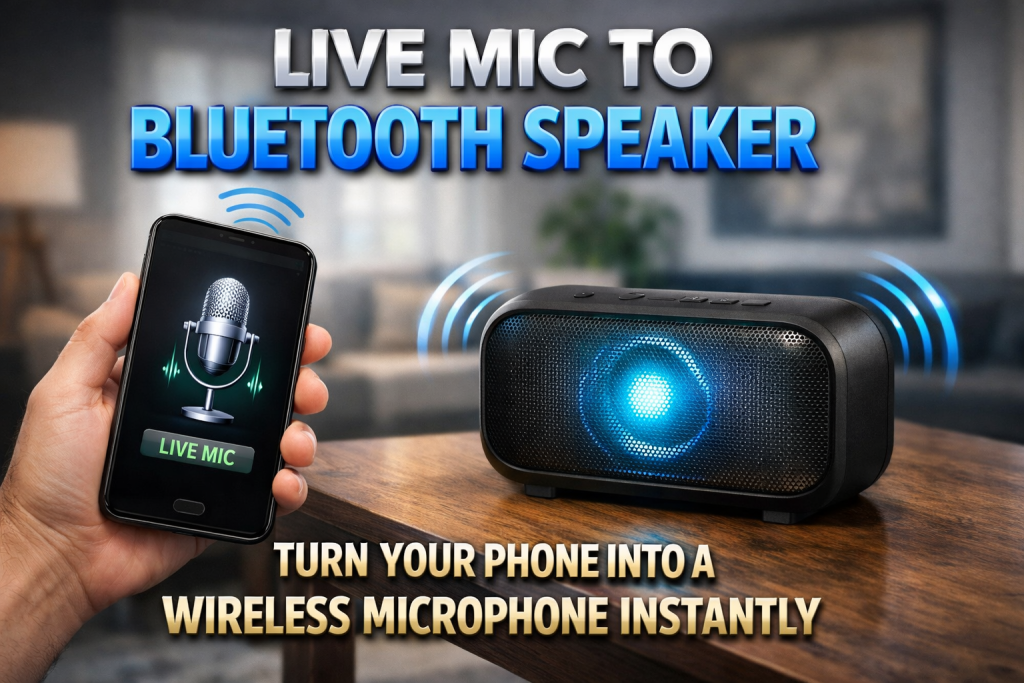
Introduction to Live Mic to Bluetooth Speaker
Have you ever wished you could speak into your phone and hear your voice loud and clear through a Bluetooth speaker? The Live Mic to Bluetooth Speaker setup allows you to transform your smartphone into a real-time wireless microphone. Whether you are hosting a small event, classroom session, birthday party, temple function, or even a casual karaoke night at home, this simple trick can make your voice reach everyone clearly without investing in expensive sound systems.
What Is Live Mic to Bluetooth Speaker Technology?
Live Mic to Bluetooth Speaker technology is a feature that lets your mobile device capture audio through its built-in microphone and transmit it directly to a connected Bluetooth speaker. Instead of using a traditional wired microphone and amplifier, your smartphone acts as the microphone and sends the sound wirelessly. This setup is especially useful for small gatherings, announcements, practice sessions, and quick public speaking situations.
How Live Mic to Bluetooth Speaker Works
The process is simple yet powerful. Your phone records your voice in real time and sends the audio signal via Bluetooth to the paired speaker. The speaker then amplifies your voice instantly. While there may be a slight delay depending on the device and Bluetooth version, most modern smartphones and speakers provide smooth audio output with minimal lag. A stable Bluetooth connection ensures better clarity and consistent sound quality.
Best Apps to Use for Live Mic to Bluetooth Speaker
There are several reliable apps that help you convert your phone into a wireless microphone. Apps like Microphone – Live Mic to Speaker and WO Mic are popular among Android users. These applications are lightweight, easy to use, and designed specifically to stream live microphone audio to external speakers. Simply download the app from the Play Store, connect your Bluetooth speaker, and start speaking.
Steps to Connect Live Mic to Bluetooth Speaker
First, turn on your Bluetooth speaker and make sure it is in pairing mode. Open the Bluetooth settings on your phone and connect to the speaker. Once connected, open your chosen Live Mic app and allow microphone permissions. After granting access, tap the start button in the app. Your voice will now be transmitted directly to the Bluetooth speaker. Adjust the volume both on your phone and the speaker for optimal output.
Benefits of Using Live Mic to Bluetooth Speaker
One of the biggest advantages of this setup is portability. You do not need bulky audio systems or wired microphones. It is cost-effective because you use devices you already own. It is perfect for teachers, students, event organizers, street performers, and even content creators. The wireless nature allows you to move freely without worrying about cable limitations.
Ideal Situations for Live Mic to Bluetooth Speaker
Live Mic to Bluetooth Speaker works great during small indoor events, tuition classes, prayer meetings, birthday celebrations, fitness training sessions, and announcement systems in small shops. It is also helpful for practicing speeches and improving voice projection. Many people use it for home karaoke sessions to create a fun entertainment environment without professional equipment.
Common Issues and How to Fix Them
Sometimes users may experience echo, delay, or sound distortion. Echo usually happens when the speaker volume is too high or placed too close to the phone. Keeping a little distance between devices helps reduce feedback noise. Delay can occur due to older Bluetooth versions. Using updated devices with Bluetooth 5.0 or higher minimizes latency. Closing background apps also improves performance.
Tips to Improve Sound Quality
For the best experience, use a high-quality Bluetooth speaker with strong bass and clear treble. Keep your phone battery above 20 percent to avoid performance drops. Speak clearly and maintain a consistent distance from the phone’s microphone. If possible, enable noise reduction settings inside the app for cleaner output during crowded events.
Is Live Mic to Bluetooth Speaker Safe to Use?
Yes, Live Mic to Bluetooth Speaker apps are generally safe when downloaded from trusted sources like the Google Play Store. Always check app permissions and user reviews before installing. Avoid granting unnecessary permissions and keep your apps updated for security improvements.
Download App
Why Live Mic to Bluetooth Speaker Is Trending
With increasing demand for portable and budget-friendly audio solutions, Live Mic to Bluetooth Speaker setups are becoming popular. People want quick and easy amplification without spending on professional PA systems. The convenience of using just a smartphone and Bluetooth speaker makes it a smart choice for modern users who prefer simple technology solutions. Live Mic to Bluetooth Speaker is a practical and powerful way to amplify your voice anytime, anywhere. With the right app and a stable Bluetooth connection, you can transform your phone into a wireless microphone within minutes. If you are looking for an affordable, easy-to-use audio solution for small events or daily use, this setup is definitely worth trying.