What Is Double Tap DroidLab?
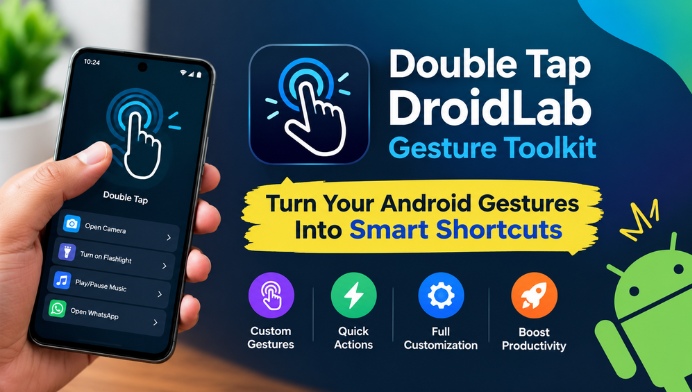
Double Tap DroidLab is focused on gesture-based interaction for Android devices. The toolkit allows users to explore actions that can be connected to gestures such as double taps and other supported touch movements. Depending on the device and Android version, these gestures can provide convenient shortcuts for accessing apps, tools, settings, or other phone functions.
Customize Your Android Gesture Experience
One of the main attractions of a gesture toolkit is customization. Users can configure available gestures according to their personal preferences instead of relying only on default Android shortcuts. This can make frequently performed actions feel more natural and reduce the number of taps required during everyday smartphone use.
Double Tap Shortcuts for Everyday Tasks
Double-tap functionality can be particularly useful when assigned to an action that you use regularly. For example, a gesture could potentially be configured for launching an application or activating a supported phone function. Having a shortcut available through a simple gesture can save time and make common tasks more convenient.
Simple Interface and Easy Controls
A useful gesture application should not make customization unnecessarily complicated. Double Tap DroidLab aims to provide a toolkit-style experience where users can explore available gesture options and configure them based on their needs. A straightforward interface can help both beginners and experienced Android users understand the available controls more easily.
Personalize Your Smartphone
Android users have different habits, which is why personalization is an important part of gesture-based tools. Some users may prefer shortcuts for applications, while others may want quick access to phone functions. Gesture customization gives users more control over how they interact with their smartphones and can create a more personalized Android experience.
Useful for Faster Navigation
Gesture shortcuts can also improve navigation by reducing repeated screen interactions. Instead of searching through menus every time, users may be able to trigger supported actions directly through a configured gesture. This can be particularly convenient when the phone is being used frequently throughout the day.
Compatibility and Android Permissions
Before using Double Tap DroidLab or any Android gesture toolkit, users should check device compatibility and the permissions requested by the application. Gesture features can depend on Android versions, manufacturer interfaces, accessibility capabilities, and system restrictions. Some functions may therefore work differently across smartphones.
Why Android Users May Like Gesture Toolkits
Gesture toolkits are appealing because they provide an alternative way to control a smartphone. They can make repetitive actions faster while giving users additional customization options. For Android enthusiasts who enjoy experimenting with shortcuts and phone settings, Double Tap DroidLab can be an interesting utility to explore.
Is Double Tap DroidLab Worth Trying?
Whether Double Tap DroidLab is useful depends on how much you value gesture controls and Android customization. If you frequently use shortcuts or want to experiment with alternative ways of interacting with your phone, a gesture toolkit can add useful functionality. It is worth reviewing the available features and permissions before deciding how to use it.
Final Thoughts on Double Tap DroidLab
Double Tap DroidLab: Gesture Toolkit offers an interesting approach to Android customization by focusing on gesture-based shortcuts and convenient controls. With the right configuration, gestures can make everyday smartphone interactions quicker and more personalized. Users should always check compatibility, permissions, and available features on their particular Android device before relying on gesture shortcuts.