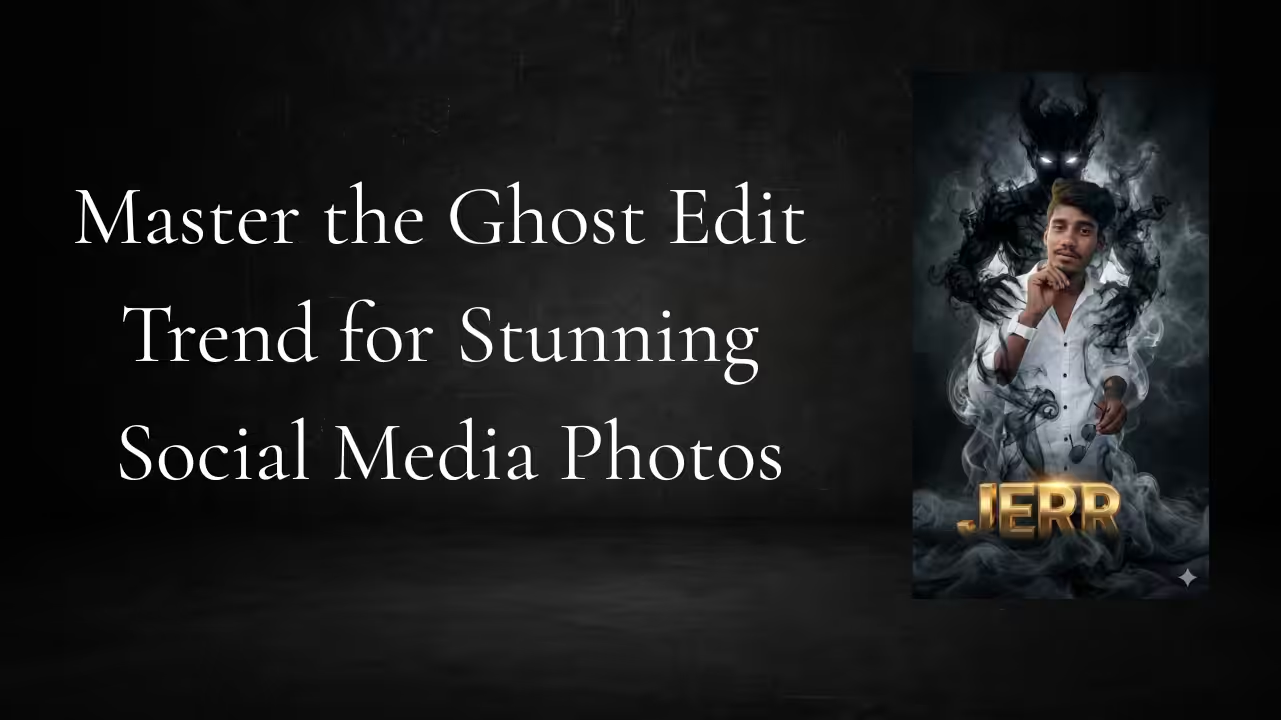
Introduction to Ghost Edit Photography
Ghost edit is a trending photo editing style that creates a transparent, invisible, or “spirit-like” version of a person within an image. This effect gives a mysterious, cinematic vibe that grabs attention instantly. With the rise of social media platforms, ghost edits have become popular among creators who want to stand out with unique visual storytelling. It blends creativity and technical editing skills to produce eye-catching results.
What Makes Ghost Edit So Popular
The ghost edit trend is popular because it adds emotion, depth, and a surreal feel to ordinary photos. People love content that feels cinematic and slightly unreal. Ghost edits give that magical illusion of presence and absence at the same time, which makes viewers pause and engage. This style is especially viral on platforms like Instagram and TikTok where visual uniqueness matters.
Understanding the Ghost Effect Concept
At its core, ghost editing is about transparency and layering. The subject appears faded or partially visible, like a spirit. This is achieved by reducing opacity, duplicating layers, and blending images together. The goal is to make the subject look like they are part of another dimension while still maintaining realism in lighting and shadows.
Tools You Need for Ghost Editing
To create ghost edits, you can use apps like Photoshop, PicsArt, Snapseed, or Lightroom. These tools allow layer editing, masking, and blending, which are essential for ghost effects. Mobile apps are beginner-friendly, while professional software offers more control for advanced users. Choosing the right tool depends on your skill level and editing needs.
How to Prepare Your Photo for Editing
A good ghost edit starts with a well-shot image. Choose a photo with clear lighting and a simple background. This helps in isolating the subject easily. Make sure the subject is sharp and well-defined, as this will make the ghost effect more realistic when you adjust transparency and blending.
Creating the Ghost Effect Step by Step
The process usually involves duplicating the image layer, reducing the opacity of the top layer, and slightly shifting it to create a shadow-like effect. You can also erase parts of the layer to make the subject look partially invisible. Adding blur or motion effects enhances the ghost illusion, making it look more dynamic and realistic.
Enhancing Realism With Lighting and Shadows
Lighting plays a crucial role in ghost edits. Adjust brightness, contrast, and highlights to match the environment. Adding soft shadows or glow effects can make the ghost appear naturally integrated into the scene. Without proper lighting adjustments, the edit may look artificial instead of cinematic.
Adding Creative Elements to Your Edit
To make your ghost edit more engaging, you can add elements like fog, smoke, or light leaks. These effects enhance the mysterious vibe and create a cinematic atmosphere. Color grading is also important—cool tones often work best for ghost edits as they add a haunting feel.
Common Mistakes to Avoid
One of the biggest mistakes is over-editing. Too much transparency can make the subject disappear completely, while poor blending can make the edit look fake. Always maintain balance between visibility and invisibility. Also, avoid mismatched lighting, as it breaks the illusion instantly.
Best Uses of Ghost Edit Photography
Ghost edits are perfect for storytelling, creative portfolios, and social media content. They are widely used in reels, thumbnails, and artistic posts. This editing style is also popular in horror-themed or emotional storytelling visuals where a surreal touch enhances the narrative.
Tips to Make Your Ghost Edits Go Viral
Consistency and creativity are key to going viral. Use trending audio, post high-quality visuals, and experiment with different ghost effects. Focus on storytelling rather than just editing. When your image tells a story, it connects better with the audience and increases engagement.
Prompt
Transform this picture into a dark, cinematic fantasy scene.
-Keep the person exactly the same same face, pose, outfit, lighting, and background.
Add a shadowy, smoke-like demonic entity emerging from behind the person’s back.
The entity should be made of swirling black smoke, semi-transparent, with glowing white eyes.
The smoke wraps around the body and flows down to the floor naturally, blending with the environment.
Maintain realistic shadows, reflections, and depth so the creature feels part of the scene Dark, moody atmosphere, high contrast, cinematic lighting, ultra-realistic, 8k quality.
No change to facial features, clothing, or camera
Conclusion: Turn Creativity Into Visual Magic
Ghost editing is more than just a trend—it’s a creative way to transform ordinary photos into something magical and memorable. With the right tools, techniques, and imagination, anyone can master this effect. Whether you are a beginner or an experienced editor, ghost edits offer endless possibilities to express your creativity and stand out online.