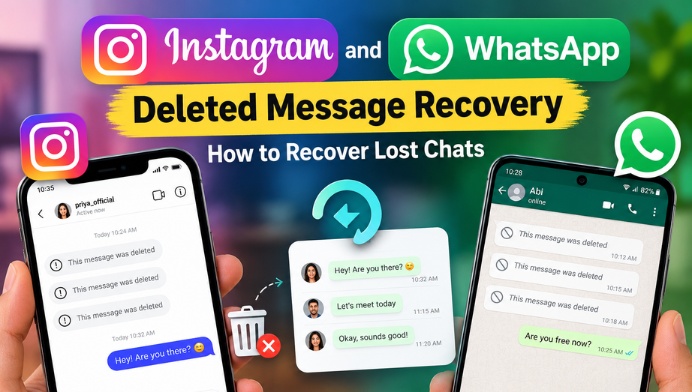
Understanding Instagram Deleted Messages
Instagram allows users to send direct messages, photos, videos, and voice messages. If you delete a conversation from your inbox, Instagram generally does not provide a dedicated restore button to bring that conversation back into your inbox. However, you can check Instagram’s official data download feature to see whether some message information is available in your account data. This option does not guarantee that deleted conversations can be recovered.
How to Check Instagram Message History
To check your Instagram account information, open Instagram and navigate to Accounts Center through your profile settings. Look for the option to download or export your information, then select your Instagram account and the relevant message information if available. Follow the instructions to request an export. Once the file is ready, review the included data. Remember that permanently deleted messages may not appear in the export, so this method cannot guarantee recovery.
Recovering Deleted WhatsApp Messages
WhatsApp provides a different recovery option through chat backups. If a backup was created before you deleted a conversation, you may be able to restore that chat by reinstalling WhatsApp and restoring the backup associated with your phone number and account. The result depends on the backup date and whether the relevant messages were included. Before attempting restoration, check your current backup details because restoring an older backup may cause you to lose newer messages that are not included in it.
How WhatsApp Chat Backups Work
WhatsApp backups may be stored in Google Drive on supported Android devices or iCloud on iPhones, depending on your settings. You can usually check your backup information in WhatsApp under Settings, Chats, and Chat Backup. Review the date and time of the most recent backup before making changes. If the backup was created after the messages disappeared, it may not contain the earlier conversation. Make sure you understand the risks before reinstalling the app or restoring an older backup.
Using Android Notification History
Some Android phones offer a notification history feature that may retain parts of messages received through notifications. If this feature was enabled before a message arrived, you might be able to review some notification content even after the sender deletes the message. Availability varies by Android version and device manufacturer, and notification history does not restore the original conversation inside Instagram or WhatsApp. It also may not include messages that were never displayed in notifications.
Can You Recover WhatsApp Messages Without a Backup?
Recovering deleted WhatsApp messages without an available backup can be difficult. Your options depend on your device, app configuration, and whether any relevant information remains available locally. Avoid applications that promise guaranteed recovery of every deleted message, especially those asking for your WhatsApp verification code, account password, or unnecessary permissions. Such tools may expose your personal data. If the conversation is important, ask the other participant whether they still have the messages and can share the relevant information with you.
Can Instagram Recover Permanently Deleted Messages?
Instagram does not guarantee that permanently deleted direct messages can be restored. You can review the official data export options and contact Instagram support if you believe the messages disappeared because of a technical problem or unauthorized account activity. Be cautious of websites claiming that they can retrieve any deleted Instagram conversation simply by entering a username. Never share your password or verification code with third-party recovery services.
Important Safety Tips for Message Recovery
Always use the official Instagram and WhatsApp apps and their built-in account settings when checking recovery options. Keep your phone updated, enable suitable chat backups, and protect your accounts with two-step verification. Before uninstalling an app or restoring a backup, confirm that important recent conversations are saved where possible. Avoid unknown APK files, suspicious recovery websites, and services that request remote access to your device. These precautions can help protect your personal conversations while you explore recovery methods.
Conclusion
Instagram and WhatsApp deleted message recovery depends on the platform, deletion method, and availability of backups or saved notification information. WhatsApp chats may be recoverable from a suitable earlier backup, while Instagram message recovery is more limited and an account data export may not contain deleted conversations. There is no universal method that can recover every deleted message. For the best chance of preserving important chats in the future, review your backup settings regularly and use only trusted recovery options.