Why You May Need to Recover Your Instagram Password
There are several reasons why you might need to recover your Instagram password. You may have forgotten your login details, changed your phone number, lost access to your registered email address, or encountered an unexpected login problem. Sometimes, Instagram may also require additional verification to protect your account. Understanding the available recovery options can help you choose the right method to regain access safely.
How to Reset Your Instagram Password
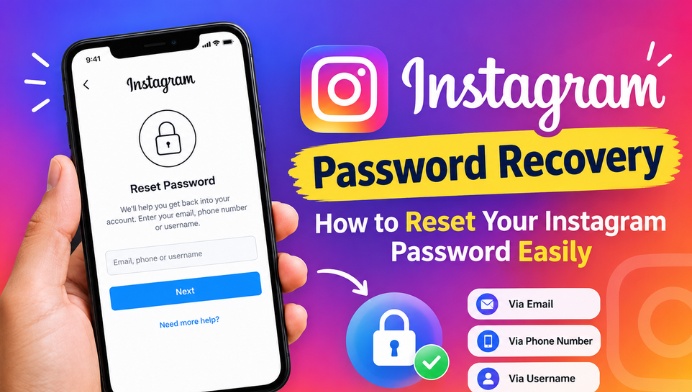
Resetting your Instagram password is straightforward when you can access your registered email address or phone number. Open the Instagram app or visit the official Instagram website and select the option to get help logging in or reset your password. Enter your username, email address, or phone number and follow the instructions provided by Instagram. Depending on your account and recovery options, you may receive a password-reset link or verification code.
Instagram Password Recovery Using Email
Email recovery is a convenient option if you still have access to the email address associated with your Instagram account. Enter your username or registered email address on the password recovery screen and request a reset link. Check your inbox and spam folder for an official message from Instagram. Open the legitimate recovery link and follow the instructions to create a new password. Never share your recovery link with anyone, as it may allow them to access your account.
Recover Instagram Password Using Your Phone Number
If your phone number is linked to your Instagram account, you may be able to recover access through an SMS verification code or another recovery option offered by Instagram. Enter your registered phone number on the login assistance screen and follow the available instructions. If you receive a verification code, enter it only in the official Instagram app or website. If your old phone number is no longer active, try another available recovery method.
How to Recover Instagram Password Without Email or Phone Number
Recovering an Instagram account without access to your registered email address or phone number can be more difficult, but official recovery options may still be available. Open Instagram’s login assistance or account recovery page and enter your username. Follow the alternative verification instructions displayed for your account. Depending on your situation, Instagram may ask you to confirm your identity or provide additional information. Recovery is not guaranteed, and you should avoid third-party services that promise instant account access.
Instagram Account Recovery for Hacked Accounts
If you believe someone has hacked your Instagram account or changed your password without permission, use Instagram’s official hacked-account recovery process. Visit https://www.instagram.com/hacked/ and select the option that best describes your problem. Follow the steps to verify your identity and recover access. If you receive an official email notifying you that your account email address was changed, check whether the message provides a way to reverse that change. Act quickly and do not share verification codes with anyone.
How to Create a Strong Instagram Password
After recovering your account, create a strong and unique password to improve security. Use a combination of uppercase and lowercase letters, numbers, and symbols. Avoid using your name, birthday, phone number, or simple combinations that others could guess. Do not reuse the same password across multiple websites. A reputable password manager can help you create and securely store complex passwords without needing to remember every detail.
Common Instagram Password Recovery Problems
Sometimes, users do not receive a recovery email or SMS, encounter an expired reset link, or see an error while attempting to log in. Check that your username, email address, or phone number is correct, review your spam folder, and request a fresh recovery link if necessary. Make sure your Instagram app is updated and your internet connection is stable. If the available recovery methods do not work, use Instagram’s official Help Center for additional guidance rather than repeatedly submitting requests.
How to Protect Your Instagram Account After Recovery
Once you regain access, review your account security settings and update any outdated contact information. Enable two-factor authentication to add another layer of protection to your login process. Check your account’s login activity and sign out of unfamiliar devices or sessions. Remove suspicious third-party app access and be cautious of messages claiming to offer account recovery services. Instagram will never need you to disclose your password to an unknown person to restore access.
Password Generator
This tool generates random passwords only. It cannot retrieve existing Instagram or other account passwords.
Conclusion: Recover Your Instagram Account Safely
Instagram password recovery can help you regain access when you forget your password or experience login problems. Whether you use your registered email address, phone number, or an alternative identity verification method, always follow the official recovery instructions. For hacked accounts, use Instagram’s dedicated recovery page and avoid unofficial recovery tools. After recovering access, strengthen your password and enable two-factor authentication to help protect your profile against future security threats.