Introduction to Couples Eyes Wallpaper Editing
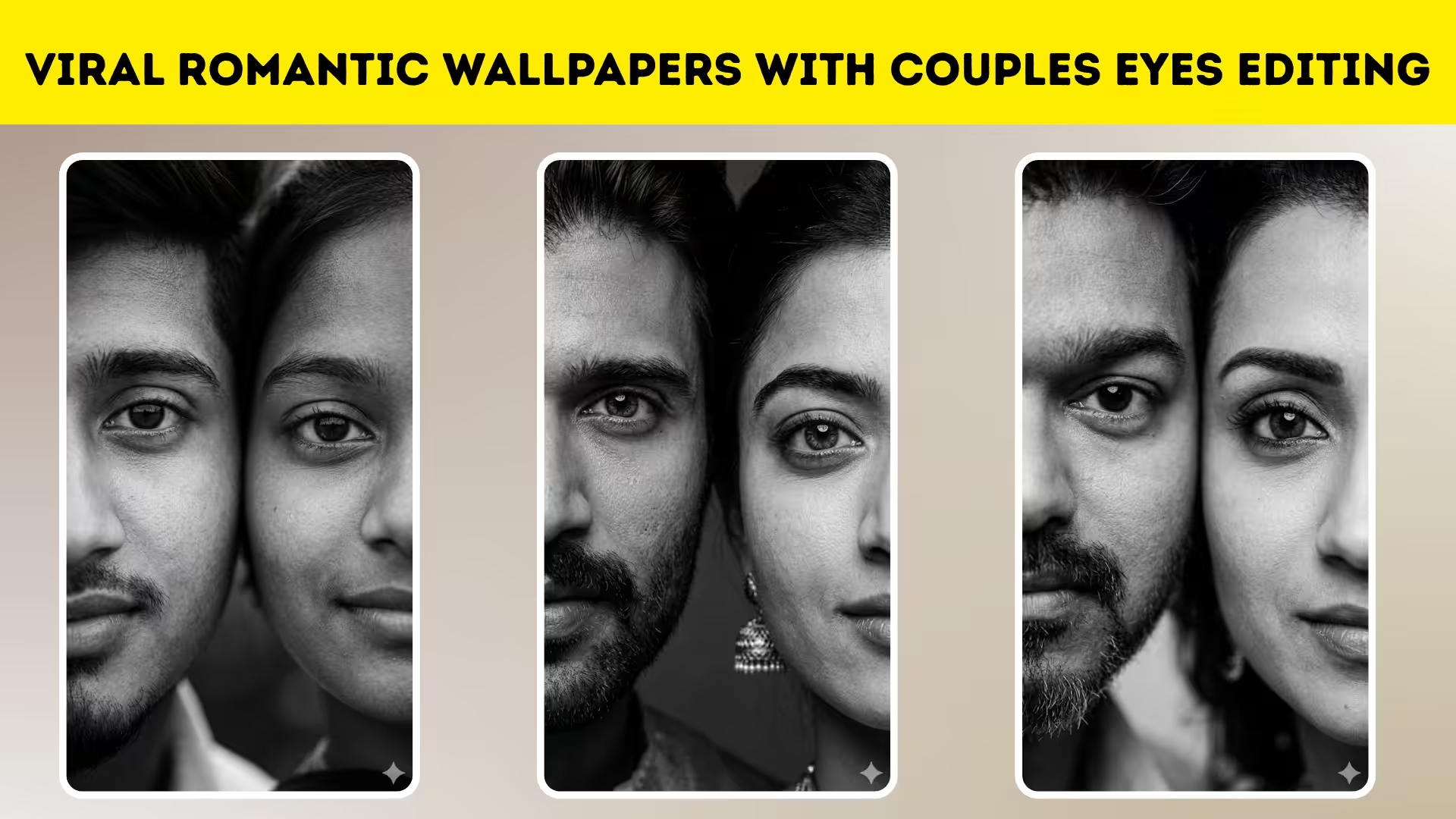
Couples eyes wallpaper editing is one of the most trending styles in creative photo editing today. This unique editing technique focuses on blending two faces together, highlighting only the eyes to create a deep emotional and romantic connection. It gives a cinematic and artistic look that attracts viewers instantly and performs well on social media platforms.
Understanding the Concept Behind Eyes Editing
The main idea behind couples eyes editing is symmetry and emotion. By aligning two faces side by side and focusing on the eyes, you create a powerful visual story. The eyes are often called the window to the soul, and this editing style uses that concept to express love, connection, and intimacy in a very artistic way.
Choosing the Perfect Photos
Selecting the right photos is the most important step in this editing process. Choose high-quality images with good lighting and clear facial details. Both photos should have similar angles and expressions to make the blending process smooth and natural. This helps in achieving a professional and realistic output.
Best Apps for Couples Eyes Editing
There are many mobile apps that can help you achieve this editing style easily. Apps like PicsArt, Snapseed, and Lightroom Mobile are widely used for this purpose. These apps offer powerful tools like background removal, blending modes, and color adjustments that are essential for creating stunning edits.
Cropping and Aligning the Faces
Start by cropping both images to focus only on the face, especially the eye area. Place both faces side by side and align them carefully so that the eyes are perfectly positioned at the same level. This step is crucial because even a small misalignment can affect the final result.
Blending the Images Smoothly
Once the faces are aligned, use blending tools to merge them together. Adjust opacity and use soft erasers to create a seamless transition between the two images. The goal is to make the edit look natural, as if both faces are part of a single composition.
Enhancing Eyes for a Dramatic Look
The eyes are the highlight of this editing style, so enhancing them is very important. Increase sharpness, adjust brightness, and add a slight glow effect to make them stand out. You can also enhance eye color slightly to create a more dramatic and emotional impact.
Adding Black and White Effects
Most couples eyes wallpapers use a black and white theme to create a cinematic feel. Convert the image to black and white while keeping slight contrast adjustments. This helps in focusing attention on the eyes and enhances the emotional tone of the edit.
Download
PROMPT :-
Create an Ultra-detailed black and white portrait of a couple using the uploaded reference images, extreme close-up crop showing only one half of each face side by side, both faces aligned symmetrically, eyes perfectly centered and aligned, sharp focus on eyes, soft natural skin texture, cinematic studio lighting, high contrast monochrome, emotional and romantic mood, realistic photography style, shallow depth of field, smooth background, 4k ultra realistic. 9:16 ratio
Background and Lighting Effects
A clean and simple background works best for this style. You can blur the background or replace it with a soft gradient. Adding subtle lighting effects or shadows can further enhance the depth and realism of the image.
After completing the main editing, focus on final adjustments. Fine-tune contrast, highlights, and shadows to balance the overall look. A slight vignette effect can also help draw attention toward the center, making the eyes the focal point. Couples eyes wallpaper editing is a beautiful way to express emotions through visuals. With the right tools and techniques, anyone can create stunning romantic edits that look professional and unique. Practice regularly, experiment with styles, and keep improving your skills to create eye-catching designs that stand out.