Introduction to Mobile Computer Launcher
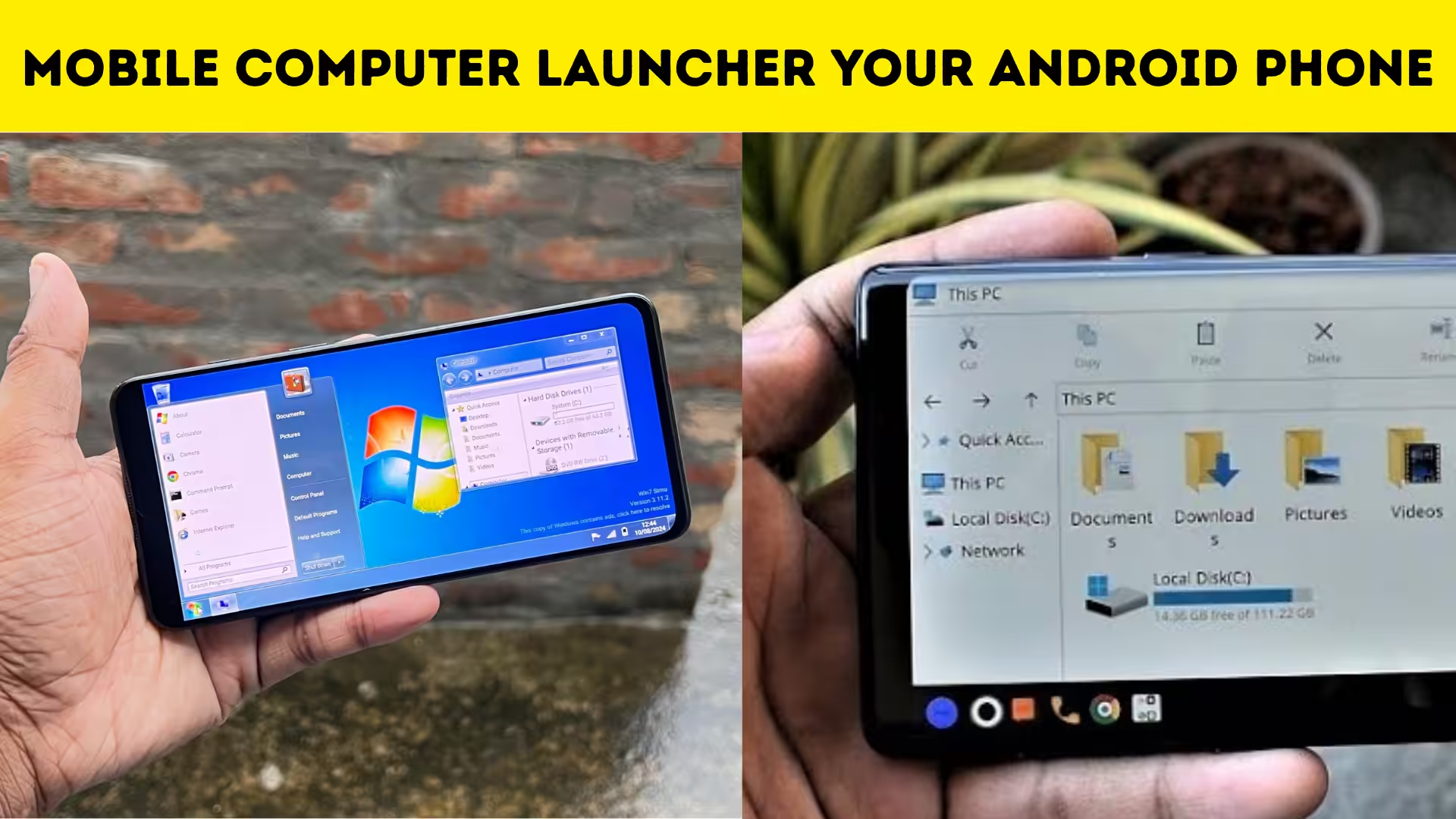
Smartphones have become powerful devices that can perform many tasks similar to a computer. However, the traditional Android interface still looks like a mobile operating system rather than a desktop environment. This is where Mobile Computer Launcher becomes extremely useful. The app is designed to transform your Android smartphone interface into a computer style desktop layout. With its unique design, users can experience a Windows-like interface directly on their mobile devices, making multitasking and navigation more interesting.
Experience a Desktop Style Interface on Your Phone
One of the most exciting features of Mobile Computer Launcher is its desktop-style interface. Once the launcher is installed, your phone screen looks similar to a computer desktop with icons, folders, and a taskbar. This interface allows users to open apps just like they would on a PC. The familiar desktop design gives users a unique experience that is very different from the standard Android layout.
Easy Access to Files and Applications
Managing files and apps becomes easier with the Mobile Computer Launcher. The launcher organizes applications in a way that resembles a computer file system. Users can quickly access documents, photos, videos, and apps using a simple navigation system. This makes it convenient for people who are used to working on computers and prefer a similar layout on their mobile device.
Built-In File Manager for Better Organization
The launcher also includes a built-in file manager that allows users to browse files and folders easily. Instead of searching through different apps to manage files, everything can be accessed from one place. This feature is especially useful for users who frequently download files or store documents on their phones.
Smooth Multitasking Experience
Multitasking becomes more enjoyable with the desktop-like layout provided by the Mobile Computer Launcher. Users can quickly switch between apps using the taskbar just like on a computer. This makes it easier to manage multiple applications at the same time and improves productivity.
Customizable Desktop Themes
Another interesting aspect of the launcher is the ability to customize the desktop appearance. Users can change wallpapers, icon styles, and layout designs to match their preferences. Personalizing the desktop environment helps create a more comfortable and visually appealing workspace on the phone.
Lightweight and Efficient Performance
Even though the launcher provides a computer-style interface, it is designed to be lightweight and efficient. The app runs smoothly on most Android smartphones without consuming excessive system resources. This ensures that users can enjoy the desktop experience without slowing down their device.
User-Friendly Navigation System
The navigation system in the Mobile Computer Launcher is simple and easy to understand. Users can quickly learn how to open apps, create folders, and access settings. The familiar computer layout makes it especially comfortable for people who frequently use Windows computers.
Ideal for Productivity and Work
Many users prefer the Mobile Computer Launcher because it enhances productivity. The desktop layout helps organize apps, documents, and tools in a more structured way. For students, professionals, and multitaskers, this interface can make everyday tasks more efficient.
Download App
Unique Experience Compared to Regular Launchers
Unlike traditional Android launchers that only change icons and themes, the Mobile Computer Launcher completely transforms the interface. It provides a realistic computer-like experience that feels fresh and different. This makes it an exciting choice for users who want to try something new on their smartphones.
Mobile Computer Launcher is an innovative app that turns your Android smartphone into a mini desktop computer. With its desktop-style interface, built-in file manager, smooth multitasking features, and customizable themes, it provides a completely new way to interact with your phone. For users who enjoy a computer-like environment or want to improve productivity on their mobile device, this launcher offers a unique and enjoyable experience.