Give Your Smartphone a Fresh and Unique Look
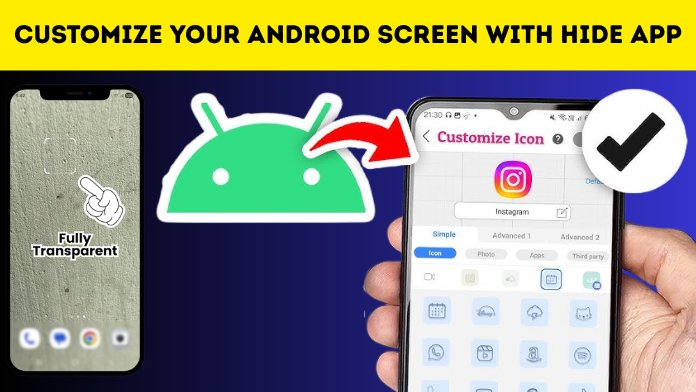
Customizing your smartphone has become more popular than ever, and changing app icons is one of the easiest ways to create a personalized home screen. With the Photo Actions: Change App Icon app, users can replace default app icons with custom images, stylish designs, or personal photos. Whether you prefer a minimal aesthetic, colorful themes, or a completely unique layout, this app helps transform your device without requiring advanced technical knowledge.
Create Custom Icons Using Your Favorite Photos
One of the standout features of Photo Actions: Change App Icon is the ability to turn personal photos into app icons. You can use pictures of family, friends, pets, favorite places, or artistic designs to replace standard icons. This adds a personal touch to your smartphone and makes your home screen truly one of a kind.
Choose from Stylish Icon Designs
The app offers a variety of icon styles, shapes, and themes that match different preferences. Whether you enjoy modern, pastel, vintage, dark mode, or colorful aesthetics, there are plenty of options available to help create a cohesive and attractive home screen that reflects your personality.
Easy to Use with a Simple Interface
Photo Actions: Change App Icon features a clean and beginner-friendly interface. Users can quickly select an application, choose or create a new icon, and apply the customization in just a few taps. The straightforward navigation makes the process simple even for those who have never customized their device before.
Personalize Every App on Your Device
Instead of changing only a few icons, the app allows you to customize nearly every application installed on your phone. Social media apps, messaging platforms, productivity tools, games, music players, and many other apps can all receive a fresh new appearance, giving your device a consistent and stylish theme.
Improve Your Home Screen Aesthetics
A well-designed home screen creates a better user experience and makes daily smartphone use more enjoyable. Matching icons with wallpapers, widgets, and color themes can give your device a polished and professional appearance that stands out from the default Android interface.
Works Well with Popular Launcher Apps
Photo Actions: Change App Icon is compatible with many Android launchers, allowing users to combine custom icons with advanced home screen customization features. This flexibility makes it easier to create unique layouts while maintaining smooth performance and functionality.
Lightweight Performance and Smooth Experience
The app is designed to provide customization without significantly affecting device performance. It operates efficiently on most Android smartphones and offers quick icon changes while maintaining a responsive and stable user experience.
Perfect for Creative Smartphone Users
Whether you enjoy creating aesthetic home screens, seasonal themes, or personalized designs, this app provides an easy way to express creativity. Students, professionals, content creators, and Android enthusiasts can all benefit from customizing their devices with unique app icons.
DOWNLOAD APP
Photo Actions: Change App Icon is an excellent choice for Android users who want to personalize their smartphones with custom icons and creative themes. Its simple interface, photo-based customization, stylish design options, and compatibility with various launchers make it a practical tool for enhancing your home screen. If you’re looking to give your device a fresh and personalized appearance, this app is worth trying.