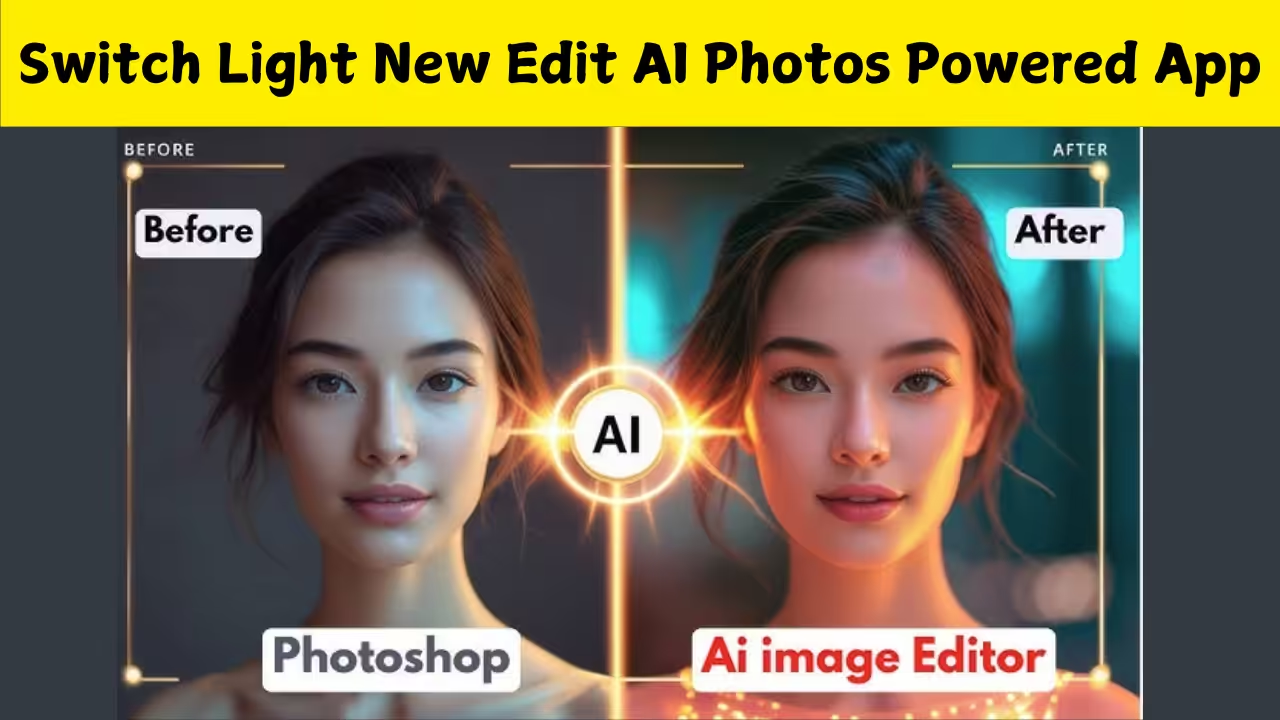
Introduction to SwitchLight AI Editing
SwitchLight has become one of the most popular AI photo-editing apps because of its ability to completely transform ordinary photos into polished, studio-quality images. With advanced lighting tools, background editing features, and AI-powered enhancements, the app allows anyone to create professional-looking photos in just a few minutes. The latest version of SwitchLight focuses heavily on new AI-driven editing styles that make photos look brighter, cleaner, and more creative.
What Makes SwitchLight Special
The standout feature of SwitchLight is its ability to adjust lighting in a realistic way. Instead of using basic brightness or contrast settings, this app applies smart lighting that changes how light falls on the face and body. This makes the photo look naturally illuminated, like it was taken with high-end studio lights. The app also includes new AI styles that enhance skin tone, remove shadows, and add depth to the image.
New AI Editing Features
The new update of SwitchLight introduces advanced AI editing modes designed to improve both portraits and full-body photos. The app now detects facial structure more accurately and applies lighting that matches the angle of the face. It also enhances colors, sharpens details, and smoothens imperfections without losing natural texture. The background separation has become more precise, allowing users to move themselves into new scenes effortlessly.
AI Relighting for Better Photos
The most popular feature is the AI relighting tool. This feature completely reworks the lighting of a photo by adding highlights and removing uneven shadows. The app simulates directional light, soft light, and warm light, making each photo look like it was taken in perfect lighting conditions. The result is a brighter, more beautiful image with more balanced tones and a professional finish.
Background Change and Smart Cutout
SwitchLight allows users to cut out their photo and place themselves in a different background with ease. The smart cutout tool uses AI to detect edges, hair, and small details accurately. Whether you want to appear on a beach, at a fancy event, or in a studio setting, the app offers new backgrounds that blend with the lighting of your face for a natural look. The new update also includes improved shadow matching to avoid editing mistakes.
Portrait Enhancement with AI
For close-up photos, SwitchLight provides advanced portrait-enhancing tools. The AI automatically brightens eyes, sharpens eyebrows, and enhances lips while maintaining a natural appearance. Skin tone correction has also improved, reducing redness, uneven tone, and dullness. The result is a polished portrait that looks bright, fresh, and social-media-ready. Apart from professional edits, SwitchLight includes creative AI modes designed for fun transformations. Users can try anime-style filters, cosplay edits, fantasy themes, and cinematic looks. These modes use deep AI models to change colors, textures, and even the overall style of the image. The new version gives a wider variety of creative templates to experiment with.
How to Use SwitchLight for New AI Edits
The process of editing with SwitchLight is simple and suitable even for beginners. After opening the app, users can select any photo from their gallery. The app scans the image and recommends the best AI edit modes. Selecting the new relighting or background tools triggers the smart algorithm that applies automatic improvements. Users can then fine-tune the intensity and adjust angles for a more personalised touch.
Improvements in the Latest Update
The latest update brings faster processing speed, smoother UI, and reduced distortion in facial features. Previous versions sometimes expanded the face or body, but the new AI model keeps natural proportions. The app also reduces glitches around hair and clothes, making the background edits more realistic. Enhanced color grading adds a cinematic look to images. Many users prefer SwitchLight because it saves time and gives professional results without needing editing skills. Its AI tools make photos look like they were taken by a DSLR camera or edited in advanced software. The app is also useful for social media creators, influencers, online business owners, and anyone who wants high-quality images quickly.
Perfect for Selfies and Full-Body Photos
SwitchLight works well for all types of photos, whether it is a close-up selfie or a full-body portrait. The AI is trained to enhance lighting across the entire subject. Selfies become clearer and glowing, while full-body photos gain better contrast, sharper outlines, and improved shadows. One of the biggest benefits of SwitchLight is that it avoids over-editing. Many editing apps create unrealistic faces, overly smooth skin, or artificial lighting. SwitchLight, however, aims for a natural appearance. The app balances beauty enhancement with realistic textures so that the final image still looks like you—only better.
Social Media Ready Results
Influencers and content creators often use SwitchLight because its edits match the aesthetic standards of platforms like Instagram, Snapchat, and Facebook. The app makes photos pop with vibrant colors, perfect lighting, and well-balanced skin tones. It also offers a variety of size ratios to upload directly without cropping.Editing photos manually can be time-consuming and requires skill. SwitchLight reduces that effort by giving instant AI improvements. Within seconds, you can get a high-quality edit suitable for profile pictures, posts, stories, or thumbnails. This makes it ideal for users who want quick yet beautiful results.
SwitchLight New Edit AI Photos is a powerful and user-friendly tool for anyone who wants to improve their pictures effortlessly. With advanced AI lighting, smart cutout, background replacement, and creative filters, the app makes photo editing easy and enjoyable. Whether you want professional-looking images or fun creative edits, SwitchLight offers a complete and modern solution. As AI continues to improve, SwitchLight stands out as an essential photo editor for mobile users seeking quality, creativity, and convenience.